✓  Unlock Products Tools & Addons for Free.
✓  $300,000 worth of products unlockable for free!


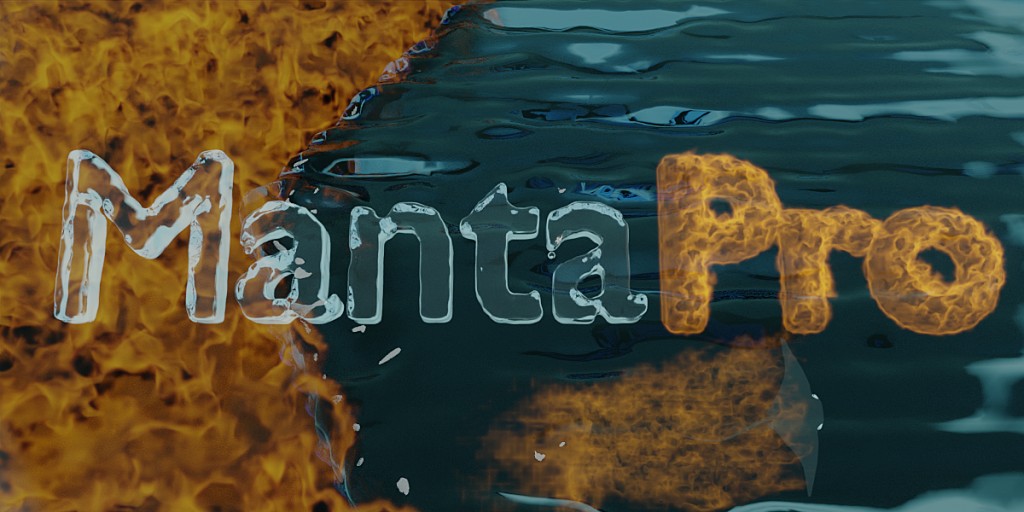
MantaPro V1.3.1 For Blender 4.0

MantaPro V1.3.1 For Blender 4.0

What’s New in MantaPro 1.3

– NEW Effect Workspace

– NEW Vertex Modify Effect

– NEW Ocean to Liquid Effect

– IMPROVED Ember effect

– FIXED Display Panel

– UI Improvements

– Learn More


What is MantaPro?


MantaPro is an addon for Blender that completely redefines the fluid simulation workflow. It puts all the settings for domain, flow, and effector objects in one place.


Redefinition


MantaPro redefines the workflow so that instead of worrying about which objects are selected or which editor you need, everything is accessible in the 3D viewport.


Speed, Power, and Flexibility


MantaPro is designed to speed up our workflow while offering every feature of Blender’s fluid simulation and the flexibility of the rest of Blender.


Compatibility


MantaPro is compatible with all previously made fluid simulations (as long as they are using the Mantaflow solver, Blender’s default (2.82+)).


Who is this for?


MantaPro is for anyone, from beginner artists to professional artists and hobbyists. Even if you already use blender fluid simulation, MantaPro is for you.


Why do I need this?


Fluid simulation can be hard. They are often time-consuming and difficult to get just right. MantaPro is designed to speed up the fluid simulation workflow. MantaPro also makes it easy to troubleshoot misbehaving simulations.


How do I use it?


After installation, go to the MantaPro panel. Then use either the quick setup to build off a preset or add a domain. After choosing either a quick setup or a domain, a popup will appear and ask whether you are making a gas or liquid simulation. Now it is time to get started customizing and making your simulation the best that it can be.


Benefits


Always active simulation

Say goodbye to the days of constantly selecting the domain, flows, effectors, or force fields just to make a small adjustment. With MantaPro they are always selected so you always have access to every setting.

One panel, every setting

MantaPro moves and reorganizes all the settings into one panel in the 3D viewport. No other editors are needed.

Easy learning

A simplified User Interface makes it easy to learn the basics.

Clear replay cache

After adding a new flow, effector, or just changing a setting, the replay cache needs to be cleared. Normally you would need to change a domain setting and set the current frame to the simulation’s start frame. Now just press one button.

Liquid Particle tools

Add and adjust spray, foam, and bubble particles quickly and easily.

Ember Particle system

Easily add Sparkes and embers to any simulation using the ember particle system, unavailable under the flow settings.

Paint fire and smoke on objects

Start painting in one click for more artistic freedom.

Fire and smoke texture tools

Quickly and easily set up a texture for fire and smoke distribution and animate it with one click.


Features


Always operates in the context of an active domain, flow, effector, and force field.

The ability to clear replay cache using one button

(Shortcut: Ctrl+R)

Every setting in one panel

Full and Simplified User Interfaces

Default properties for new simulations

Move cache

Easily move your baked cache to a different location without losing it

The ability to Toggle and display bounds

After you start working, you may find a need to see through your Liquid domain or see the actual size of the domain.

Toggle bounds

Shows an overlay of the domain’s actual size

Display bounds

Sets the domain object’s display type to bounds for previewing baked liquid data

Advanced Liquid Particle tools

Ability to link pre-made particles to the simulation

Ability to quick toggle particle visibility

Ability to adjusts particle size

Ability to link and unlink particle size

Ability to have custom particle objects

You can paint fire and smoke on objects

Fire and smoke texture tools

Automatically setup texture in one click

Automatically animates texture offset using drivers

Gives access to almost all the texture setting without leaving the 3D viewport


Flow and effector display options

Ability to set display type

Ability to Disable in renders

Ability to set transparent material

Liquid and water material

Edit your liquid or water material in the 3D viewport

IOR (Index of Refraction) reference

Opens a website that lists many IOR values for different types of materials

Fire and smoke material

Edit your fire or smoke material in the 3D viewport

Flame+

More advanced flame material

Multi Color

Allows for multi-color smoke


LTS


MantaPro will be supporting the official Blender LTS with bugfixes and backports where possible.


Roadmap


Next planned updates


Control fire or smoke painting using objects

Improved materials

UI improvements

More default settings

Explode tools


Potential future updates


OpenVDB simulation library


Support


We are always looking for ways to improve MantaPro. If you have any ideas or would like to report a bug, please contact us through the blender market.


Release Notes


(12-2-2021) – v1.2 Major release


– Ember Particle System


– Sync Viewport Selection


– Blender UI mode


– Eevee water


– Auto Operations Settings


– UI improvements



🌐 Store Page: https://superhivemarket.com/products/mantapro
💵 Price: $30.00       (Do not buy. Unlock & Download for free)
 Software: Blender 4.4, 4.3, 4.2, 4.1, 4.0, 3.6, 3.5, 3.4, 3.3


  👤   Login or Signup  to Download this product for free.  


📁 Environments, Tools

🔖
blender, Blender 4.0, MantaPro, MantaPro 1.3.1, water, water simulation, Tools, Plugin


MantaPro V1.3.1 For Blender 4.0


Store Price : 💵 $30.00


Software: Blender
Version: 4.4, 4.3, 4.2, 4.1, 4.0, 3.6, 3.5, 3.4, 3.3


📁 Environments, Tools
🔖 blender, Blender 4.0, MantaPro, MantaPro 1.3.1, water, water simulation, Tools, Plugin


RenderSkill.com - Copyrights (c) 2026